
A streaming setup that removes the usual barriers
Twitch Studio is a free broadcasting tool built specifically for new and growing streamers who want to go live without dealing with complex setups. It belongs to the live streaming and content creation genre, focusing on simplicity rather than deep customization.
Top Recommended Alternative
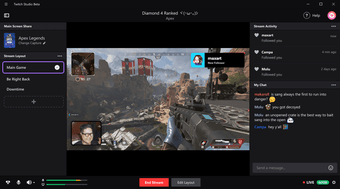
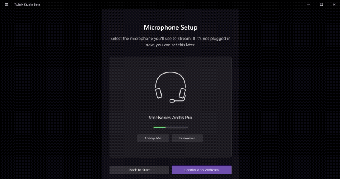
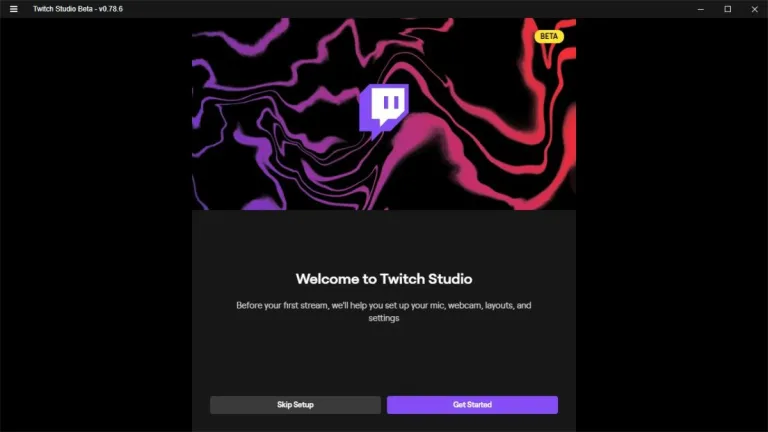
Twitch Studio’s goal is to help users start streaming quickly with minimal configuration. This creates a beginner streaming tool that guides users through setup, from microphone checks to scene creation. Visually, the interface is clean and structured, presenting layouts, alerts, and controls in a way that feels approachable.
From first stream to consistent setup
Twitch Studio offers guided onboarding that helps users configure their audio, camera, and overlays step by step. This results in a guided setup system that reduces the friction often associated with streaming software. Once configured, users can switch between scenes, manage alerts, and monitor stream health directly from the dashboard. Everything is integrated into a single environment, which makes it easier to manage broadcasts without switching between tools.
It is tightly integrated with Twitch, which means features like chat, alerts, and stream management are built directly into the software. This makes it ideal for beginners who want a straightforward path into streaming. However, as users grow, they may start to feel constrained by the lack of advanced tools. Compared to more flexible broadcasting software, it offers fewer customization options and less control over detailed configurations.
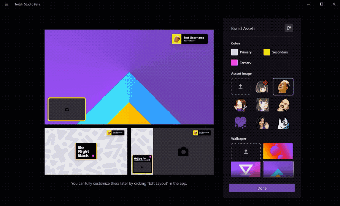
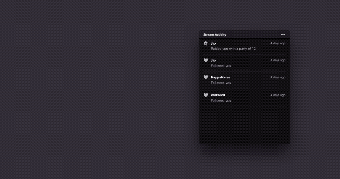
The visual and audio experience is built around clarity and accessibility. Pre-made layouts allow users to create streams that look organized without needing design knowledge. Alerts for follows, subscriptions, and chat activity are easy to set up and customize within the available options. Audio mixing is simplified, with controls that help balance microphone and system sound without requiring deep technical understanding.
A smooth starting point for streamers who want less setup stress
Twitch Studio works best as a friendly entry point for people who want to start streaming without getting buried in technical menus and complicated setup steps. Its guided onboarding, built-in Twitch tools, and easy scene management make it genuinely approachable for beginners. However, its simplicity comes with limits, and creators who want deeper control or heavier customization may eventually need something more advanced as their streaming needs grow.